For the past eleven years, I have lived in the trenches of NHS digital transformation and private clinic implementations. I’ve seen the rise and fall of patient portals that nobody could log into and telehealth platforms that clinicians hated because they added three clicks to every patient interaction. The industry is currently undergoing a massive shift: healthcare providers are finally realizing that they aren't just selling consultations; they are selling a SaaS-like experience.
Patients now expect the same level of friction-free onboarding from their medical cannabis clinic or private GP as they do from their banking app or favorite e-commerce site. When that expectation meets the reality of clinical regulation, identity verification, and complex data collection, we see where the breakdown happens. If your onboarding workflow requires a patient to print, scan, or email a document, you have already failed the UX test.
The SaaS-ification of Clinical Care
The transition toward digital-first healthcare is no longer about just "having a video call option." It is about the seamless orchestration of the patient journey. In the medical cannabis space, where I’ve seen some of the most innovative—and sometimes most disjointed—onboarding flows, the goal is to get a patient from "I need help" to "I have my prescription" without a single manual intervention from a human administrator.
When clinics treat onboarding like a software product, they focus on intuitive interfaces and guided steps. They don't dump a twenty-page PDF intake form on a patient. Instead, they break the data collection into manageable chunks within a secure patient portal. This isn't just better for the user; it’s better for the clinician, who needs a structured, readable summary of care before they even hit 'Join Meeting' on their telehealth platform.
Where Most Clinics Get Stuck (And Why Your Patients Drop Off)
I see the same bottlenecks in almost every project I audit. Most clinics are great at the marketing funnel, but the "mid-funnel" of onboarding is a graveyard of abandoned registration attempts. Let’s look at where the friction actually lives.
Stage of Onboarding Common Friction Point The "Fix" Identity Verification Manual document reviews by staff. Automated e-ID/e-KYC integrations within the portal. Clinical Intake PDF forms that don't save progress. Dynamic, conditional logic-based web forms. Video Call Setup Needing to download proprietary apps. Browser-based, encrypted WebRTC connections. Post-Consultation Patients waiting for 'Next Steps' emails. Automated task triggers in the portal dashboard.The "After the Call" Reality: Stop Ignoring Logistics
Here is where most tech consultants lose me: they spend 90% of their time optimizing the video call interface and 0% on what happens when the clinician closes the tab.
A telehealth consultation is only as successful as the outcome it produces. In a medical cannabis clinic, this is usually a prescription sent to a pharmacy. If the patient is left wondering, "Did my prescription get sent? When do I pay? How do I track my delivery?", you have failed. The secure patient portal must act as a source of truth for the *delivery logistics*, not just a way to view a past appointment summary.
I’ve worked on implementations where the tech stack looks beautiful, but because the clinic didn't integrate the pharmacy handoff into their portal, clinicians spend two hours a day answering emails about delivery status. That isn't a digital transformation; that’s just digitizing the chaos.
Designing Guided Steps for Complex Data
Healthcare is complex, but the interface doesn't have to be. When asking for sensitive data—such as past medical history, medication summaries, or GP contact details—use guided steps. Do not use a single "intake form" page. Use a progress bar. Allow lyncconf.com the patient to save their progress. If a patient is mid-onboarding and realizes they don't have their NHS summary of care, let them pause, close the tab, and pick up exactly where they left off later.
Furthermore, provide clear instructions at every micro-decision point. If you are asking for a photo of a government ID, tell them *why* (e.g., "We require this to comply with CQC regulations regarding controlled medication prescriptions"). When patients understand the 'why', they are much more likely to endure the 'how'.
Three Golden Rules for Reducing Onboarding Friction
Never force a download: Your telehealth platform should run in a mobile or desktop browser. If a patient has to install a plugin or an app to talk to a doctor, your conversion rate will drop by 30% instantly. Validation logic is your friend: Stop letting patients submit forms with empty fields. Use inline validation to prompt the patient to fix errors *before* they click submit. It saves your administrative team from having to chase them for missing data later. The Portal is the Hub: The patient should never be directed to check their email for an update on their treatment. Everything—the intake form, the consultation link, the pharmacy tracking, and the follow-up booking—should live behind a single, secure login.The Danger of Over-Automation and Buzzword Soup
I hear a lot of talk about "AI-driven intake." Be careful. While AI can help summarize notes, it cannot replace clinical accountability. A clinician must always review, verify, and validate the patient data before a clinical decision is made. Don't fall for the trap of thinking a chatbot can replace a robust, secure clinical intake process.
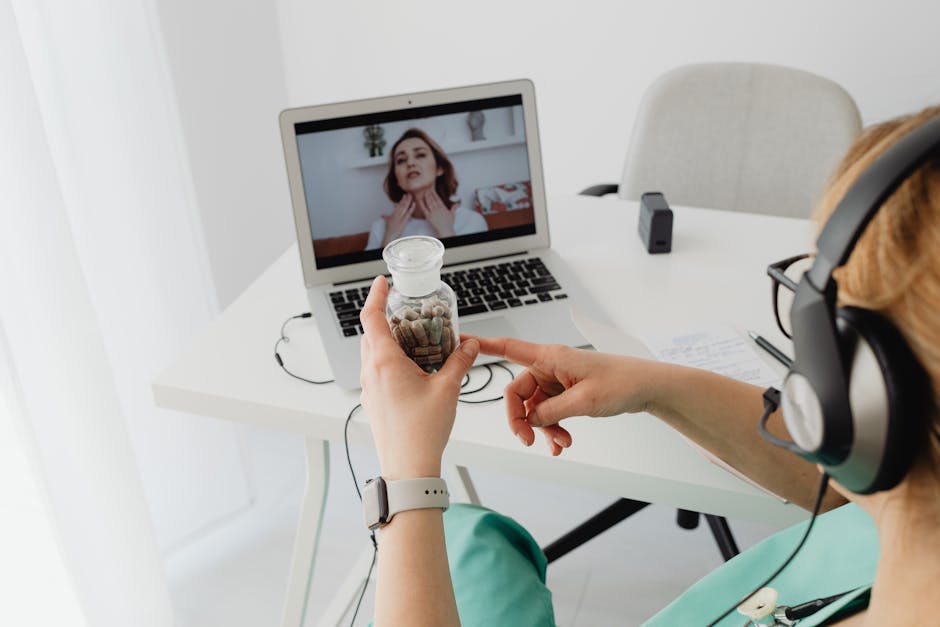
When choosing a telehealth platform or a secure portal provider, avoid the vendors who talk in vague buzzwords like "holistic ecosystem" or "AI-powered synergy." Ask them: "How does the patient upload their summary of care? Where does that document sit in the database? How does the clinician sign off on the prescription?" If they can't explain the workflow in simple steps, their software probably doesn't handle the nuance of clinical regulation very well.
Final Thoughts: The Patient Perspective
At the end of the day, an onboarding workflow is a trust-building exercise. If your digital process is clunky, prone to errors, or leaves the patient feeling lost, they will subconsciously feel that the medical care they are about to receive will be equally disorganized.
The goal of any digital implementation in a clinical setting is to get the technology out of the way. When the patient is finally face-to-face (even if that face is on a screen) with the clinician, the "tech" part of the conversation should have already been handled. They should be focused on their health, not on why their file upload failed for the third time. By focusing on intuitive interfaces and guided steps, you aren't just improving your UX; you are improving clinical safety and operational efficiency.

Stop chasing the "all-in-one" AI dream and start fixing the broken links in your patient journey. Your clinicians—and your patients—will thank you for it.